
How to Set Up HTTPS in cPanel

Setting up HTTPS on your website requires a few steps, but fortunately these steps are easy to accomplish with the help of cPanel. HTTPS stands for Hypertext Transfer Protocol Secure, and it’s a secure protocol that is used to protect data sent from your web server to the user’s computer. With the help of cPanel, […]
How to Create a Shop Page in WordPress
If you have an online store, or are just getting started selling products on WordPress, then you will need to create a shop page. A shop page is the best way to showcase your products and make it easy for customers to purchase them. This guide will walk you through the steps of creating a […]
What is SharePoint?
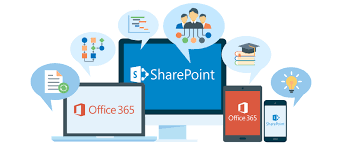
SharePoint has been a popular collaboration tool since its inception in 2001, and with its integration into Office 365, it’s become an even more powerful platform. So, what is SharePoint? In short, it’s a web-based application used to store and share files, documents and other content within an organization securely. It’s also packed with features […]
How to Create a SharePoint Site in Office 365
SharePoint is an incredibly useful tool that enables you to store, share, and collaborate on documents and other files with others. It can be accessed via Microsoft Office 365, the cloud-based version of Microsoft Office. This guide will walk you through the steps of creating a SharePoint site in Office 365. Let’s get started! Step […]
How to Fix the “Error Establishing a Database Connection” in WordPress

Have you ever seen the error message ‘Error Establishing a Database Connection’ while trying to access your WordPress website? If so, don’t panic! This is a fairly common problem, and it can be easily fixed. In this blog post, we’ll take you through the steps of fixing this error in WordPress. Let’s get started! Why […]
How to Recover Deleted Emails with Office 365
Have you ever accidentally deleted an email that you really wanted to keep? It’s a common problem, but fortunately, there are a few steps you can take to recover deleted emails with Microsoft Office 365. Don’t worry – all is not lost! Let’s take a look at how you can get your emails back and […]
How to Create a Landing Page in WordPress
Creating a landing page in WordPress is an excellent way to make your website stand out from the crowd and attract more visitors. Landing pages are used to capture leads, introduce new products or services, and provide valuable content to your audience. In this blog post, we’ll look at how you can create a landing […]
How to Check Your OneDrive Storage in Office 365
Keeping an eye on your storage space is important, especially when you have a large amount of data and files that need to be stored. With OneDrive, users can keep their data safe and secure with the cloud service, but it’s important to know how much storage space you have available. So if you use […]
How to Remove Malware From Your WordPress Site
Keeping your WordPress site secure is essential in order to protect it from malicious attacks. Unfortunately, malware can be difficult to remove if you do not have a good understanding of the technical aspects of website security. In this article, we will provide step-by-step instructions on how to quickly and safely remove malware from your […]
Transferring Office 365 to a New Computer: A Step-by-Step Guide
Whether you’re changing your computer, upgrading to a new one, or just want to move your Office 365 software from one machine to another, knowing how to transfer Office 365 is essential. But don’t worry, it’s not as hard as you may think! Here’s a step-by-step guide on how you can make the move in […]